Walking Pad Home Office Setup — How I Walk 8,000 Steps While Working

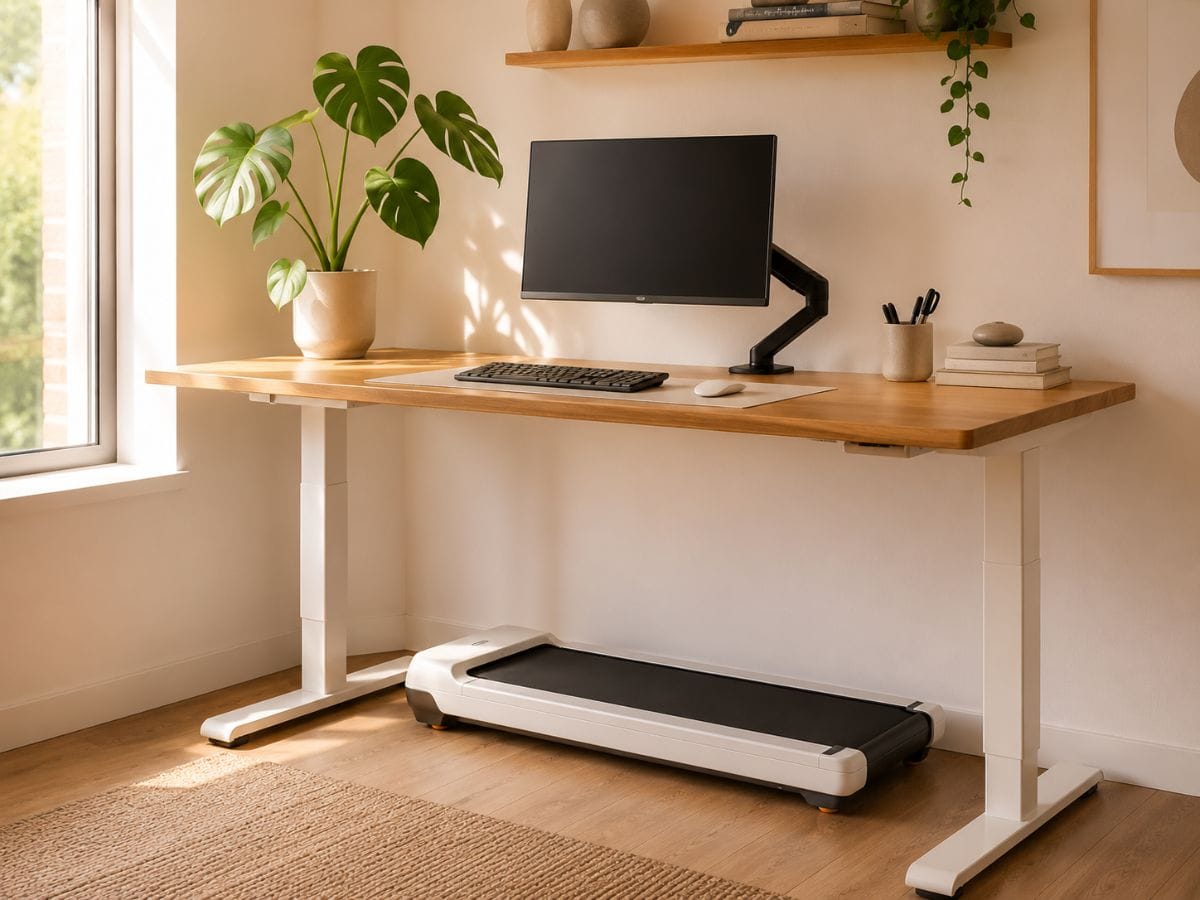
Imagine the corner of a 650 sq ft apartment — a slim wooden standing desk against a warm white wall, a trailing pothos catching the afternoon light, a clean monitor at eye level with no cables in sight. And underneath it all, folded flat and completely invisible, a walking pad that turns this one little corner into the most productive (and quietly healthy) spot in the apartment.
This is my actual setup. I work from home full-time in a small apartment, and I've been walking while I work for over a year now. No gym membership. No "workout" blocks on my calendar. Just 8,000 steps that happen naturally between emails, Slack messages, and afternoon calls — and a desk corner that genuinely makes me want to start the workday. Save this guide before you scroll — you're going to want to come back to the gear list.
Quick Answer
What do you need for a walking pad home office setup?
Four things: a walking pad (flat-fold, apartment-safe), a height-adjustable desk (27–47″ range), an anti-fatigue mat to dampen vibration and protect your floor, and cable management to keep it looking clean. That's the whole setup.
The Complete Setup — Everything in My Corner
I've tried to make this as grab-and-go as possible. Every item below is what I actually use or what I'd buy if I were starting over today. Nothing on this list is here because it looks pretty on a mood board — it's here because it works in a real small apartment with real work hours.
Walking Pad: WalkingPad A1 Pro — $499 — or — WalkingPad C2 — $399
The A1 Pro's wider 16″ belt is noticeably more comfortable for walking while typing — your feet have room to move naturally instead of feeling like you're on a balance beam. The C2 is the budget pick and still great; go A1 Pro if you're using it for 2+ hours a day. I put together a detailed comparison of the A1 Pro and C2 if you want to dig into specs before you decide.
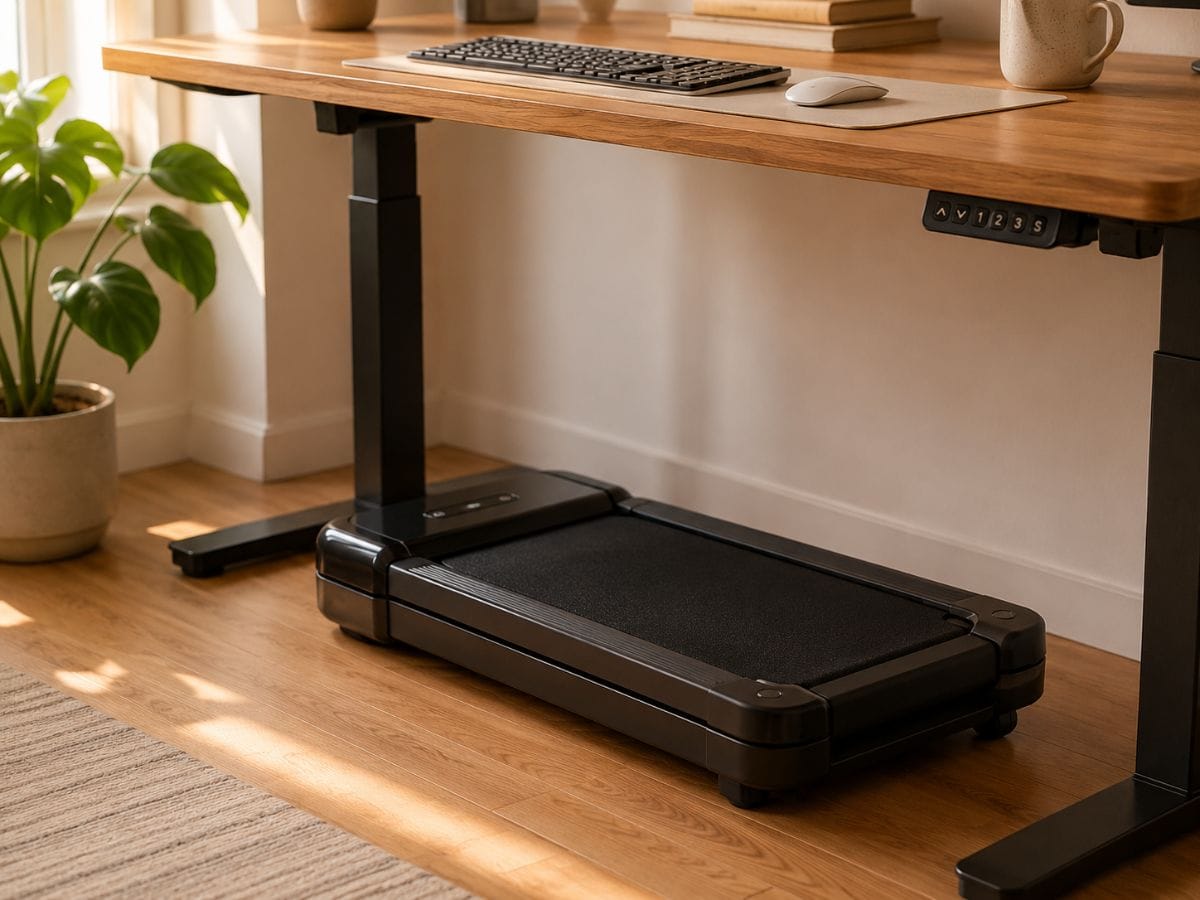
️ Desk: FLEXISPOT E7 Standing Desk — $119
Enough height range to fit basically any body, and the motor is whisper-quiet — you can adjust during a call without anyone noticing. Bamboo top option keeps the aesthetic warm and natural.
Anti-Fatigue Mat: Topo Comfort Mat by Ergodriven — $119
This goes in front of the walking pad — not on it — and it absorbs vibration that would otherwise travel through your floor. If you're in an apartment above someone else, this is non-negotiable. Bonus: it's genuinely comfortable for standing desk sessions when you're not walking.
️ Monitor Arm: VIVO Dual Monitor Desk Mount — $34
A monitor arm lets you adjust screen height instantly when you switch from sitting to walking — this is much easier than a fixed riser and keeps the desk surface clear.
Cable Management: JOTO Cable Management Sleeve + Adhesive Clips
The single biggest difference between a setup that looks intentional and one that looks chaotic — clean cables. These sleeves run the walking pad cord along the desk leg and out of every photo.
Optional: Logitech MX Keys Mini Bluetooth Keyboard — $99
Useful for video calls where you need to mute/unmute or type short responses without leaning into the desk. It's also just a beautiful keyboard — no guilt using it at the regular desk too.
Estimated Total
$686 – $786 complete setup
Walking pad: $399–$499 · Desk: $119 · Mat: $119 · Monitor arm: $34 · Cable management: ~$15 · Keyboard (optional): $99. Go C2 to save $100 — the desk and mat are fixed costs either way.
The Desk Height Problem (And How to Actually Solve It)
This is the part most setup guides skip — which is why people end up with neck pain after a week and give up.
First, the misconception: walking pads don't raise you off the ground. They're flat — typically 4–6 inches tall — and your feet walk on the belt surface, which sits a few inches above the floor. Your standing height on a walking pad is essentially the same as standing on the floor. So unlike a traditional treadmill desk, you don't need to compensate for a major height change. If you want to go deeper on how the standing desk and walking pad combination actually works as a WFH fitness system, I've covered that in full.
What you do need: a desk surface that sits at elbow height when you're standing. Stand naturally, let your arms hang, bend your elbows to 90° — that's your target desk height. For most women between 5′3″ and 5′8″, this is somewhere between 38 and 43 inches. Measure yourself before you buy a desk.
The monitor is a separate adjustment. When you walk, your posture naturally opens up slightly and your eye level rises. If your monitor is fixed, you'll find yourself looking down — which causes neck fatigue within about 30 minutes. A monitor arm that adjusts vertically by a few inches solves this completely. I move mine up about 2 inches when I switch from sitting to walking, and my neck thanks me.
My recommendation: a desk adjustable from 27 to 47 inches covers sitting, standing, and walking for almost any body height. Don't let anyone sell you a fixed-height standing desk for this use case — you'll need the range.
My Daily WFH Walking Routine
Not a workout plan — a work schedule.
The reason this works is that walking is layered onto tasks I was already doing, not added as a separate thing. I'm not carving out time to exercise — I'm just doing existing work in motion. Here's what a typical day looks like:
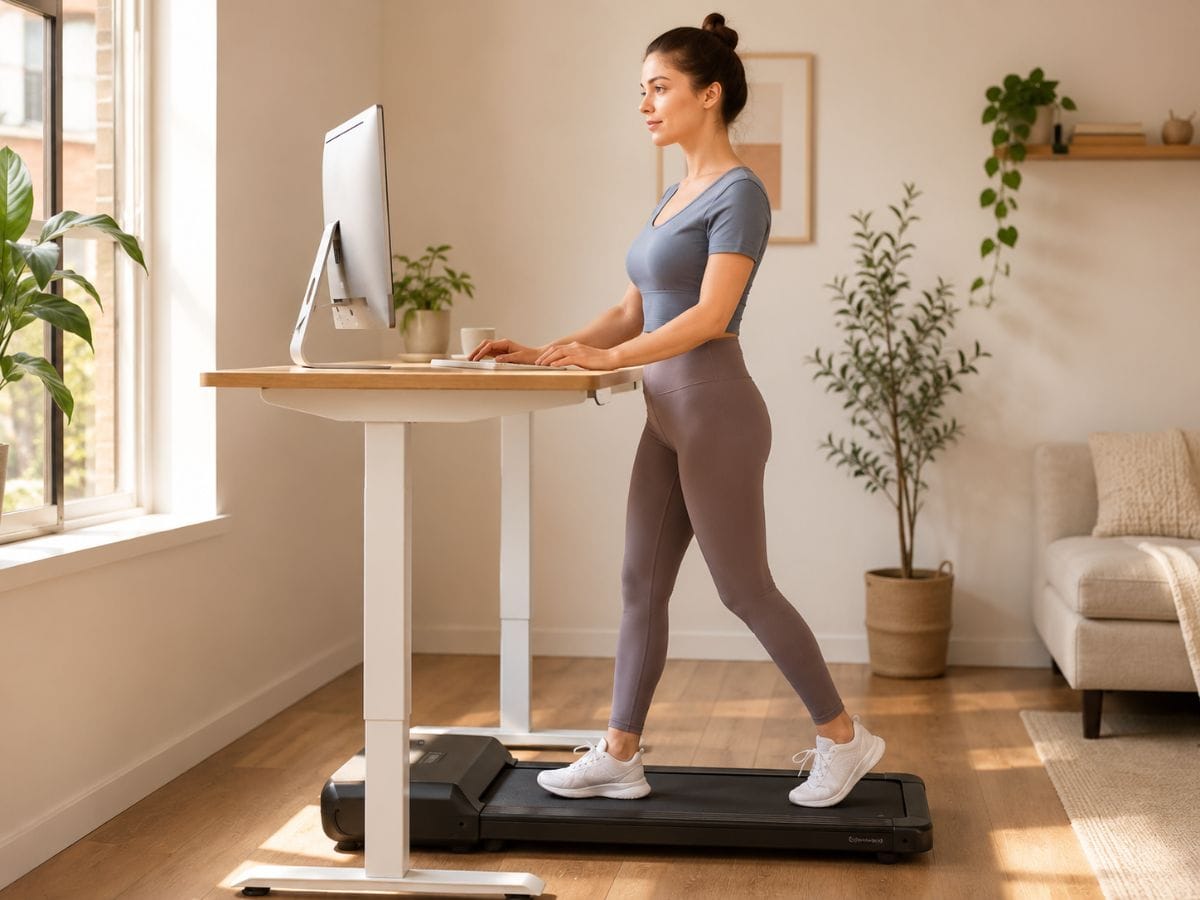
9:00 – 9:30am · 1.5 mph
Email triage while walking
Reading, flagging, and short replies. Low cognitive load, easy walking speed. This is the warmup block I never have to schedule.
10:00 – 11:00am · Sitting
Deep work — walking pad stored under desk
Writing, editing, anything that needs my full brain. The walking pad slides under the desk in about 10 seconds and disappears completely.
12:00 – 12:30pm · 2.0 mph
Lunch call while walking
The walking pad is virtually silent so nobody on the call can tell. This single block usually adds 2,000+ steps without any effort.
2:00 – 3:00pm · 1.5 mph
Admin + Slack while walking
The afternoon slump is real. Instead of reaching for another coffee, I pull out the walking pad. The movement wakes me up better than caffeine, and the work is easy enough to do in motion.
Daily total: ~8,000 steps. Zero workouts scheduled.
That's spread across about 2.5 hours of actual walking, which at 1.5–2 mph is roughly 3–4 miles. Without leaving the apartment or changing into gym clothes. If you're curious how walking while you work can add up to real results over time, that's worth a read too.
Honest note: I do not walk during writing or video editing. Above 1.5 mph, I genuinely cannot think straight when I need to concentrate. If the task requires real focus, the walking pad stays under the desk. That's not a failure of the setup — it's how the setup is supposed to work.
The Aesthetic Setup Guide
The part that makes it a corner you actually want to work in — and a pin worth saving.
Walking pads can look clinical and cold if you don't design around them. Here's how to make the whole corner feel intentional — the kind of setup that looks like you designed it with the walking pad in mind, not like you shoved a treadmill under your desk.
Palette: Warm Neutrals, Not White
Warm white walls, a natural wood or bamboo desk top, and one matte black or brushed metal accent (monitor arm, keyboard, or lamp). The WalkingPad A1 Pro comes in white — it disappears against warm neutral floors. Avoid cool greys; they make the setup feel like an office, not a home. If you're building toward a full that girl home gym aesthetic, this corner can anchor the whole look. The goal is "wellness corner," not "WeWork."
Where the Walking Pad Lives When You're Not Using It
Under the desk — not under the bed, not in the closet, not behind the couch. When it's under the desk, you're much more likely to actually use it. It takes 10 seconds to pull out and start. If it's in the closet, you'll convince yourself you're too busy and never get it out. The goal is frictionless.
Cable Management: One Rule
Every cable goes along a surface — never across open air. Use adhesive cable clips to run the walking pad cord along the desk leg and baseboards. The monitor cable runs behind the arm and down the post. A cable sleeve bundles everything at the back of the desk. Five minutes of setup, and the corner photographs completely clean.
The One Object That Makes It Feel Human
One plant. Not a shelf of plants, not a gallery wall — just one trailing pothos or small ceramic planter on the desk corner or the windowsill above it. It's the thing that separates "home office setup" from "office." Mine is a small monstera that's been on my desk since I moved in, and it appears in every photo because it belongs there.
Lighting: The Video Call Factor
Position your walking pad desk so your face is toward the window, not the wall. When you're walking during a call, natural front lighting makes you look present and professional. If your apartment doesn't allow this, a small ring light or LED panel at eye level behind your monitor does the same job. The desk corner that photographs beautifully is usually also the one that makes you look best on calls.
Common Setup Mistakes to Avoid
I've seen these come up again and again — either in my own setup or from people who've messaged me saying the walking pad "didn't work" for them. Usually it's one of these four things.
Buying a desk that's too low. This is the most common one. A lot of people already have a standing desk before they get the walking pad, and it maxes out at 43 inches. If you're 5′6″ or taller, you may need more range than that. Walking subtly changes your posture — your torso lifts and your shoulders relax — and a desk that felt right for standing may feel slightly low for walking. Measure again after you've walked for a few minutes, not before.
Skipping the mat. Hard floors plus walking pad vibration equals noise — the kind your downstairs neighbor will notice. The anti-fatigue mat isn't just a comfort item. It absorbs vibration and protects your floor from the equipment. If you rent, you especially don't want a walking pad moving around on hardwood without any cushioning underneath.
Setting the speed too high for typing. Above 2 mph, typing accuracy drops noticeably for most people. Above 2.5 mph, your upper body movement becomes enough that mistakes creep into everything you write. Start at 1 mph your first week. Work up to 1.5 mph. Only go to 2 mph for calls and passive tasks. The point of this setup is sustainable movement — not a cardio session. If you're also thinking about building out a full apartment gym setup around this corner, I've put together real budget-tiered options that work in the same small square footage.
Not testing the setup before a real work call. Do a dry run. Pull up the walking pad, turn it on, get to speed, and have your hands on the keyboard before you're on a client call. The small details — where your mouse sits, how far back the keyboard needs to be, whether your headphone cable reaches — should be figured out when there's no pressure. Five minutes of setup testing saves a lot of mid-call scrambling.
Still deciding on the walking pad itself?
I've tested several options across different apartment types and work styles. My full guide covers noise level, belt width, weight capacity, and which models actually fold flat enough to store under a standard desk.
Read: Best Walking Pads for Apartments →Frequently Asked Questions
What height should my desk be for a walking pad?
Your desk surface should sit at elbow height when you're standing — typically between 38 and 44 inches depending on your height. Walking pads don't raise you off the ground (they're flat, not elevated), so standard standing desk ergonomics apply. A desk with a range of 27 to 47 inches covers most body heights comfortably for both sitting and walking.
Can you actually work while walking on a walking pad?
Yes — for most work tasks. Email, Slack, light admin, and phone calls all work well at 1.5–2 mph. Deep writing, editing, and anything requiring precise mouse control is harder. The key is matching task type to speed, not trying to do everything while moving. Once you find the right tasks for your walking blocks, it becomes completely natural.
What speed is best for working and walking?
1.5 mph for focused tasks like email and reading. 2 mph for passive listening, calls, or light admin. Above 2 mph, most people notice a measurable drop in typing accuracy and cognitive focus. Start at 1 mph your first week to let your body adapt to walking and working simultaneously. Speed is less important than consistency.
Does a walking pad fit under a standing desk?
Almost always, yes. Most walking pads are 4–6 inches tall when flat, and standard standing desks clear at least 10–12 inches at their minimum height. When you're done walking, slide the pad under the desk — it completely disappears and your workspace looks exactly like a normal standing desk setup. Check your specific desk's clearance height before buying, but this combination almost always works.
The walking pad desk setup is one of those things that sounds like a productivity trend until you try it — and then it quietly becomes the best corner in your apartment. The steps happen. The setup disappears. The work gets done.
If this guide helped, save it on Pinterest so you have the gear list when you're ready to set up. And if you're still deciding whether a walking pad is worth it for WFH life specifically, I wrote about that too.
I test every piece of gear in my actual apartment — noise, footprint, deposit-safety, and real-world durability. No sponsored samples, no showroom conditions. If I wouldn't buy it for my own 650 sq ft studio, I don't recommend it.
Build Your Dream Home Gym—Without Wasting Space or Money
Join the MiniHomeGym Newsletter for expert reviews, space-saving fitness tips, apartment-friendly workout ideas, practical buying guides, and exclusive deals to help you choose the best compact fitness equipment with confidence.