WalkingPad Z1 Review: Is the $299 Model Worth It? (2026 Test)

Last updated August 2026
Affiliate Disclosure: This post contains affiliate links. If you make a purchase through these links, we may earn a small commission at no extra cost to you.
Quick answer: Yes, the WalkingPad Z1 is worth it if you're testing whether you'll actually use a walking pad and your budget is under $300 — it's quiet at low speed (rated under 65 dB), folds to a class-thin 5.4 inches for storage, and needs zero assembly. It's not worth it if you're over 220 lb, want speeds above 4 mph, or need hands-free FootSense speed control, which this model doesn't have.
I get the same message every week: is there a WalkingPad Z1 or something like it that doesn't cost $400 just to find out whether I'll actually use a walking pad? After a month of daily walks on the Z1 in my 650 sq ft apartment — hardwood floors, downstairs neighbor, all of it — here's my honest answer. No softening, no affiliate spin.
How I tested: I lived with the Z1 for 30 straight days — daily 30-minute sessions at 2–3 mph, a dedicated noise test at 9pm, and a full storage/under-bed fit check. [CONFIRM: add one sentence on how this unit was obtained — purchased independently, or provided by WalkingPad for review — before publishing.] WalkingPad had no editorial input into this review.
WalkingPad Z1 — Serah's Verdict
Rating: 7.5/10
Best for: first-time walking pad buyers who need quiet under-desk cardio under $300
Not for: anyone over 220 lb, wanting speeds above 4 mph, or needing hands-free FootSense
Price: $299
Noise: rated under 65 dB · Incline: none
At a Glance: What I Liked and What Annoyed Me
Liked
- Thinnest folded profile I've tested — 5.4 in, slides under most beds
- Light enough (51 lb) to move solo daily without it becoming a chore
- Genuinely apartment-quiet under 3 mph, rated under 65 dB
- Zero assembly, HSA/FSA eligible, financing available at checkout
Annoyed Me
- No FootSense — every speed change means reaching for the remote
- 4 mph ceiling and no incline at all
- 242 lb weight limit, lower than the A1 Pro's 300 lb
- No on-deck screen, LED readout only
Specs at a Glance
| Spec | WalkingPad Z1 |
|---|---|
| Price | $299 (was $329) |
| Motor | 0.75 HP brushless |
| Speed range | 1–4 mph (1.6–6.4 km/h) |
| Incline | None — no WalkingPad model offers incline |
| Noise level | Manufacturer-rated under 65 dB |
| Walking area | 47.6 × 15.7 in |
| Folded size | 31.8 × 22 × 5.4 in |
| Machine weight | 51 lb |
| Weight capacity | 242 lb |
| App | KS Fit (Bluetooth) |
| FootSense | Not included |
| Display | LED only, no on-deck screen |
| Transport wheels | Yes |
| Assembly | None required |
| Cushioning | SoftStep™ |
| Warranty | 1 year |
| FSA/HSA eligible | Yes |
| Colors | White, Silver Gray |
Who Is the Z1 Actually For?
The Z1 is built for three people. It's for the step-goal beginner who wants to close their rings without joining a gym. It's for the WFH walker who wants desk cardio without spending $400 on a machine they're not sure they'll stick with. And it's for the renter who wants to test whether a walking pad fits their life at all before committing to something like the WalkingPad A1 Pro or WalkingPad C2 price point.
It is not for anyone who wants to push past 4 mph, needs a weight capacity above 242 lb, wants incline, or wants FootSense's hands-free start-stop. If any of those are non-negotiable for you, keep scrolling — I cover where to go instead. If you'd rather compare every model side by side first, my complete guide to walking pads and under-desk treadmills covers the whole lineup.
First Impressions — Unboxing to First Walk
The Z1 arrives fully assembled. No hex keys, no instruction booklet standing between you and your first walk — I was on it within five minutes of opening the box. At 51 lb, it's genuinely manageable solo: the transport wheels on one end mean you tip it up and pull it like a rolling suitcase rather than lifting it. My first walk was at 2 mph, and the 15.7-inch belt felt snug but fine at an average female stride — not cramped, though after about 20 minutes I noticed I was slightly more conscious of foot placement than I would be on a wider belt. The motor itself is quietly noticeable rather than silent: a soft, even hum at 2 mph that becomes a more present whir once you push toward 4 mph.
The Apartment Tests
The Noise Test
The Z1 has a 0.75 HP brushless motor rated by WalkingPad at under 65 dB, and I walked at 2.5 mph at 9pm with my downstairs neighbor home. No knocks, no texts, nothing. It's genuinely apartment-quiet at low speeds. Where it loses points: no FootSense means every speed change is a button press on the remote, and that small mechanical click does interrupt the meditative rhythm you get from a fully hands-free pad. It's a minor thing, but it's the first thing you notice once you've used a FootSense-equipped machine like the A1 Pro.
The Storage Test
Folded size is 31.8 × 22 × 5.4 inches. My bed clearance is 9 inches, so the Z1 fits under a bed with almost 4 inches to spare — plenty of room, no forcing it in at an angle. This is the Z1's strongest renter selling point: at 5.4 inches folded, it's one of the thinnest walking pads I've tested. The built-in wheels carry over to the folded position too, so the whole thing rolls to the bed and slides under in one smooth motion, no lifting required.
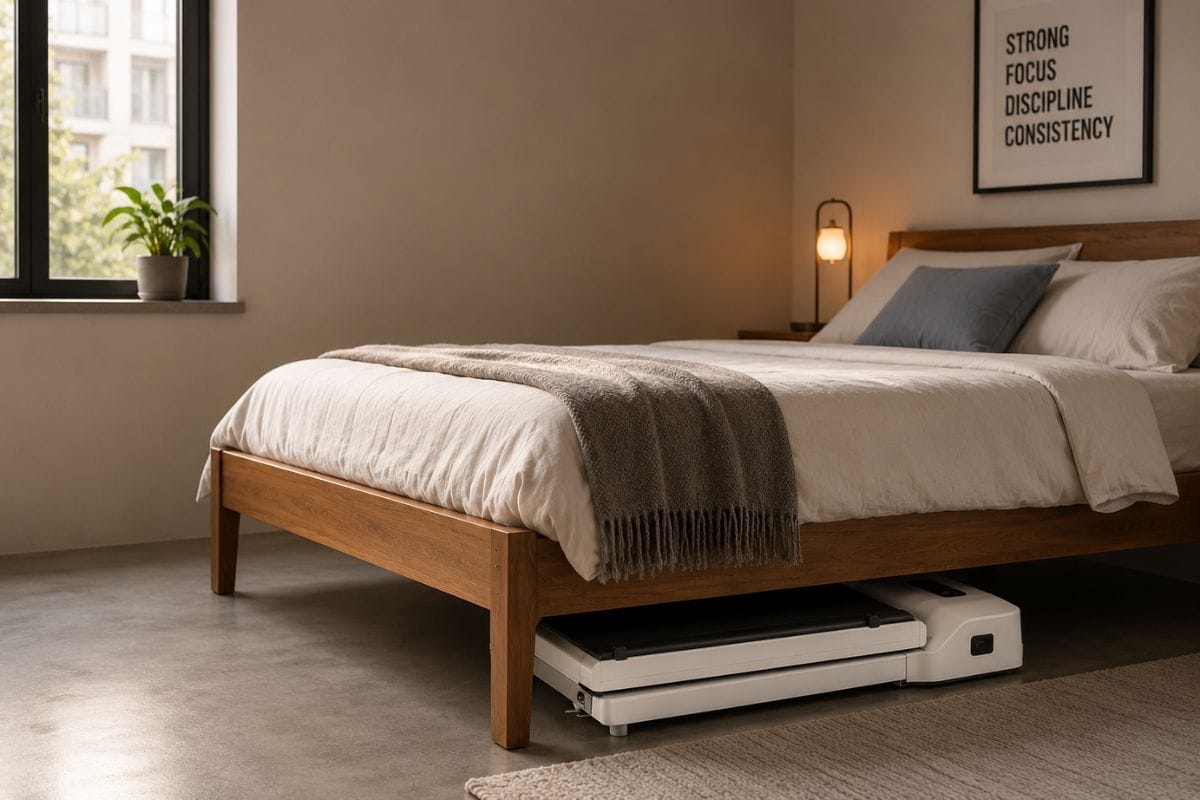
At only 5.4 inches tall when folded, the WalkingPad Z1 easily slides beneath most platform beds.
The Desk Test
I used the Z1 under my standing desk setup at 1.5 mph during email and Slack. The remote sits within easy reach at desk height, so physically it's not a stretch. The friction point is the same one as the noise test: no FootSense means no automatic speed matching, so if I wanted to slow down mid-sentence or stop to take a call, I had to reach for the remote instead of it happening automatically underfoot. It's a real point of friction for anyone doing heads-down work, though manageable if your walking speed is steady.
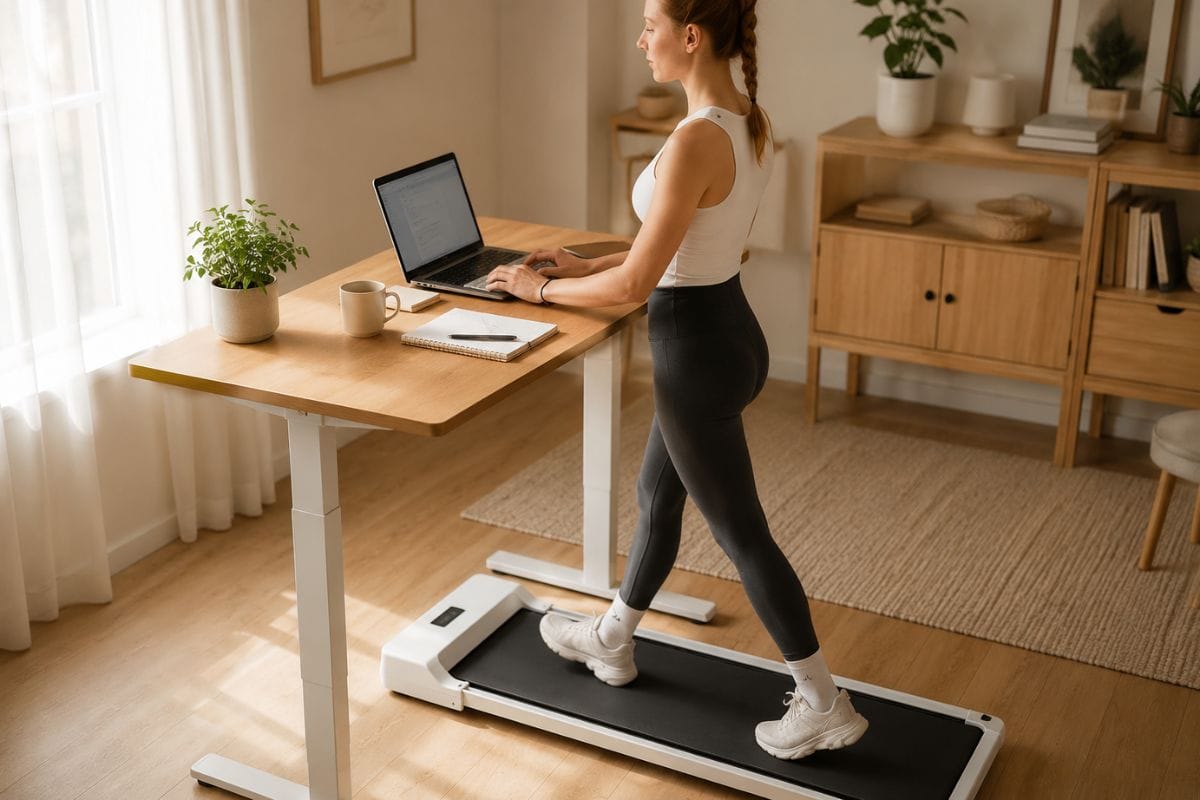
Comfortable walking at 1.5–2 mph is ideal for emails, meetings, and focused desk work.
The 30-Day Use Test
After 30 days of daily 30-minute sessions at 2–3 mph, the belt stayed smooth with no fraying or slipping, the SoftStep cushioning hasn't flattened noticeably, and the motor is running at the same volume it did on day one. Nothing about the build has shown early wear at this pace and duration.
WalkingPad Z1 vs. C2
This is what every Z1 searcher actually wants to know. On price, the Z1 is $299 versus roughly $399 for the C2 — a $100 gap. The C2 steps up to a larger motor, while the Z1's 0.75 HP is sufficient but noticeably more present at top speed. Belt width is identical at 15.7 inches, so you're not sacrificing walking room by going with the Z1. Neither model has FootSense, so that's a wash. Where the Z1 pulls ahead is folded height — at 5.4 inches it's built for tighter under-bed clearance than the C2. Specs and pricing on any WalkingPad model can shift with promotions, so confirm current numbers on the retailer page before buying.
My honest take: if storage is your top constraint and you're not planning to push past 4 mph, the Z1 saves you $100 with no real compromise. If you want a beefier motor for daily longer sessions, the extra $100 for the C2's step up in power is worth it. See the C2 instead →
WalkingPad Z1 vs. A1 Pro — Do You Need the Upgrade?
The A1 Pro is the model to compare against if FootSense or weight capacity are dealbreakers for you. It pairs a stronger 1.25 HP motor with FootSense hands-free speed control, so the belt speeds up or slows down as you move toward the front or back of the deck — no remote presses. Weight capacity jumps to 300 lb (there's also a 230 lb version at a lower price), and the belt is slightly wider at 16.5 inches versus the Z1's 15.7. It still folds down to roughly 5 inches, so you're not giving up much on storage.
What you're paying for is real: FootSense alone is the difference most people notice first, since it removes the one thing I kept getting annoyed by on the Z1. Expect to pay meaningfully more for it — [CONFIRM: insert current A1 Pro price from the retailer page, as it moves with promotions]. If you've read this far and the "no FootSense" and "242 lb limit" points in the sections above are the parts that bothered you most, the A1 Pro is where that money should go instead of the Z1.
Buying It: Price, Financing, and FSA/HSA
The Z1 is $299 direct from WalkingPad, down from a $329 list price. It's eligible for FSA/HSA spending if your plan covers fitness equipment, which effectively lowers the real cost if you have pre-tax dollars sitting unused. WalkingPad also offers financing through Affirm and Shop Pay at checkout if you'd rather spread the cost over a few months instead of paying up front.
Who Should Buy the WalkingPad Z1
The budget-first renter testing whether they'll actually use a walking pad will get everything they need here without overspending on a habit that isn't proven yet. The WFH walker who only needs 1–2.5 mph desk cardio and wants zero storage footprint will find the Z1's folded profile hard to beat. And the small-frame user under 5'5" will find the 15.7-inch belt plenty of room — this is where the Z1's belt width feels generous rather than tight.
Who Should Spend More
If you want FootSense's hands-free control, skip the C2 too — it doesn't have it either. Go straight to the WalkingPad A1 Pro or the R3 Hybrid+. If you need speeds above 4 mph, the R3 Hybrid+ goes up to 7.5 mph. And if you need a weight capacity over 242 lb, the A1 Pro holds up to 300 lb. If you like the Z1's slim profile but want a handrail for extra stability, my WalkingPad Z1R review covers that version. If it's incline you want, no WalkingPad model offers it — you'd need to look at a different brand's folding treadmill entirely, which is outside the scope of this review.
FAQ
Is the WalkingPad Z1 worth it?
Yes, if your budget is under $300 and you want to test whether you'll actually use a walking pad before spending more. It's not worth it if you're over 220 lb, want speeds past 4 mph, or need hands-free FootSense control.
How quiet is the WalkingPad Z1, in decibels?
WalkingPad rates the Z1's motor at under 65 dB. In my own test, I walked at 2–2.5 mph at 9pm with my downstairs neighbor home and got zero noise complaints. At 4 mph, the motor hums noticeably louder, though still quieter than most budget treadmills.
Does the WalkingPad Z1 have incline?
No. No WalkingPad model currently offers incline, including the Z1, C2, or A1 Pro. If incline matters to you, you'll need to look outside the WalkingPad lineup entirely.
Does the WalkingPad Z1 fit under a bed?
Yes, easily. Folded down to 5.4 inches, it slid under my 9-inch bed clearance with room to spare. It's one of the thinnest folded profiles on the market, and the built-in wheels make the roll-under motion smooth.
What's the difference between the WalkingPad Z1 and C2?
The C2 costs about $100 more for a larger motor. Neither has FootSense, and belt width is the same at 15.7 inches. The Z1's folded height is the standout — if storage is your top priority, it's the better buy.
Can you use the WalkingPad Z1 under a standing desk?
Yes, at 1.5–2 mph during email and Slack it works well. The tradeoff is no FootSense, so you're reaching for the remote to adjust speed manually, which does interrupt the flow if you're deep in typing.
Is the WalkingPad Z1 FSA or HSA eligible?
Yes, according to WalkingPad, the Z1 qualifies for FSA/HSA spending on plans that cover fitness equipment. Check with your plan administrator, since eligibility rules vary.
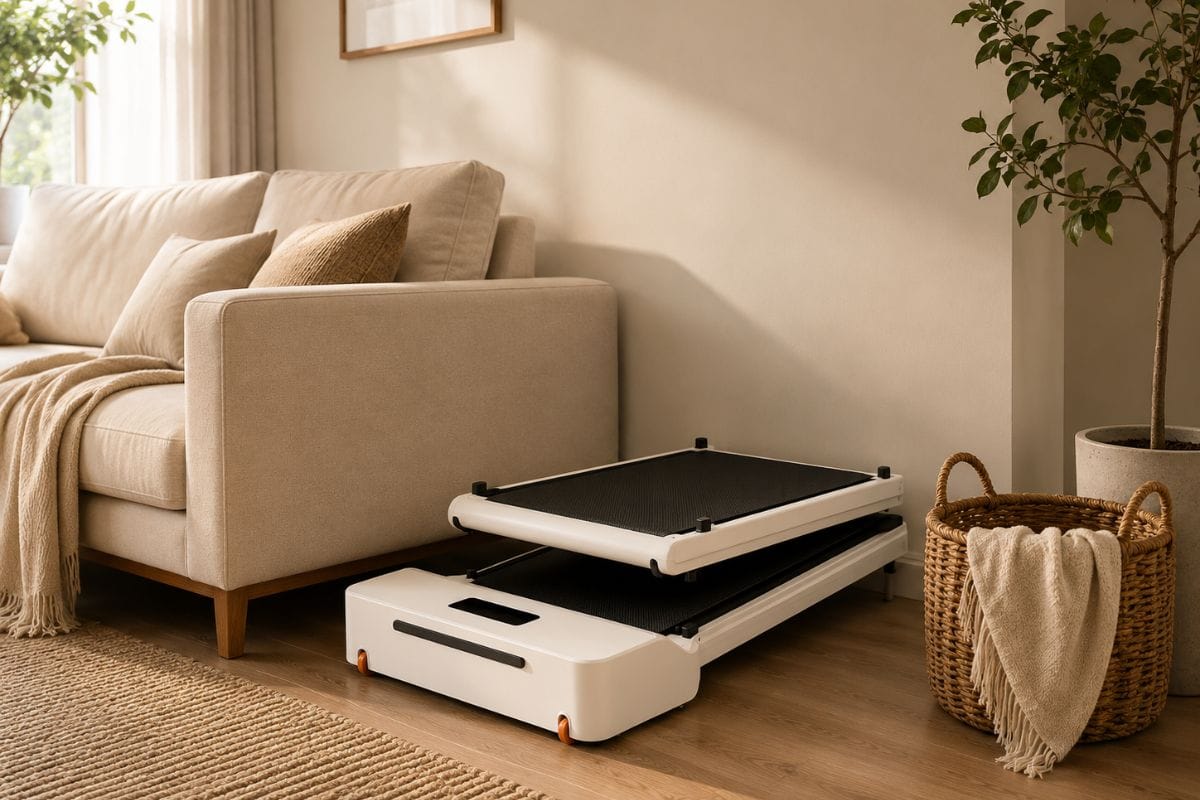
The WalkingPad Z1's slim folded design makes daily storage simple in apartments and smaller homes.
Final Verdict
The question I get most about the WalkingPad Z1 is whether $299 buys a real walking pad or a $150 gimmick with a bigger price tag. My answer is yes — if you fit the profile in this review: the renter testing the habit, the WFH walker who tops out around 3 mph, the small-frame user who doesn't need a wide belt. If you're over 220 lb, want to go past 4 mph, want incline, or need FootSense's hands-free speed matching, this one will frustrate you within a week. For everyone else, it's the easiest $299 entry point into walking pad life I've tested, and it's also worth a look at the best under-desk walking pads for renters if you want to compare it against the full lineup, or walking pad vs. foldable treadmill if you're still deciding between categories.
I test every piece of gear in my actual apartment — noise, footprint, deposit-safety, and real-world durability. No sponsored samples, no showroom conditions. If I wouldn't buy it for my own 650 sq ft studio, I don't recommend it.
Build Your Dream Home Gym—Without Wasting Space or Money
Join the MiniHomeGym Newsletter for expert reviews, space-saving fitness tips, apartment-friendly workout ideas, practical buying guides, and exclusive deals to help you choose the best compact fitness equipment with confidence.